Since I started my journey with 3D printing, I have built and shared dozens of 3D printable models to the public. Surely, TinyRack is one of them. You can find them on my MakerWorld profile here or on my Printables profile here.
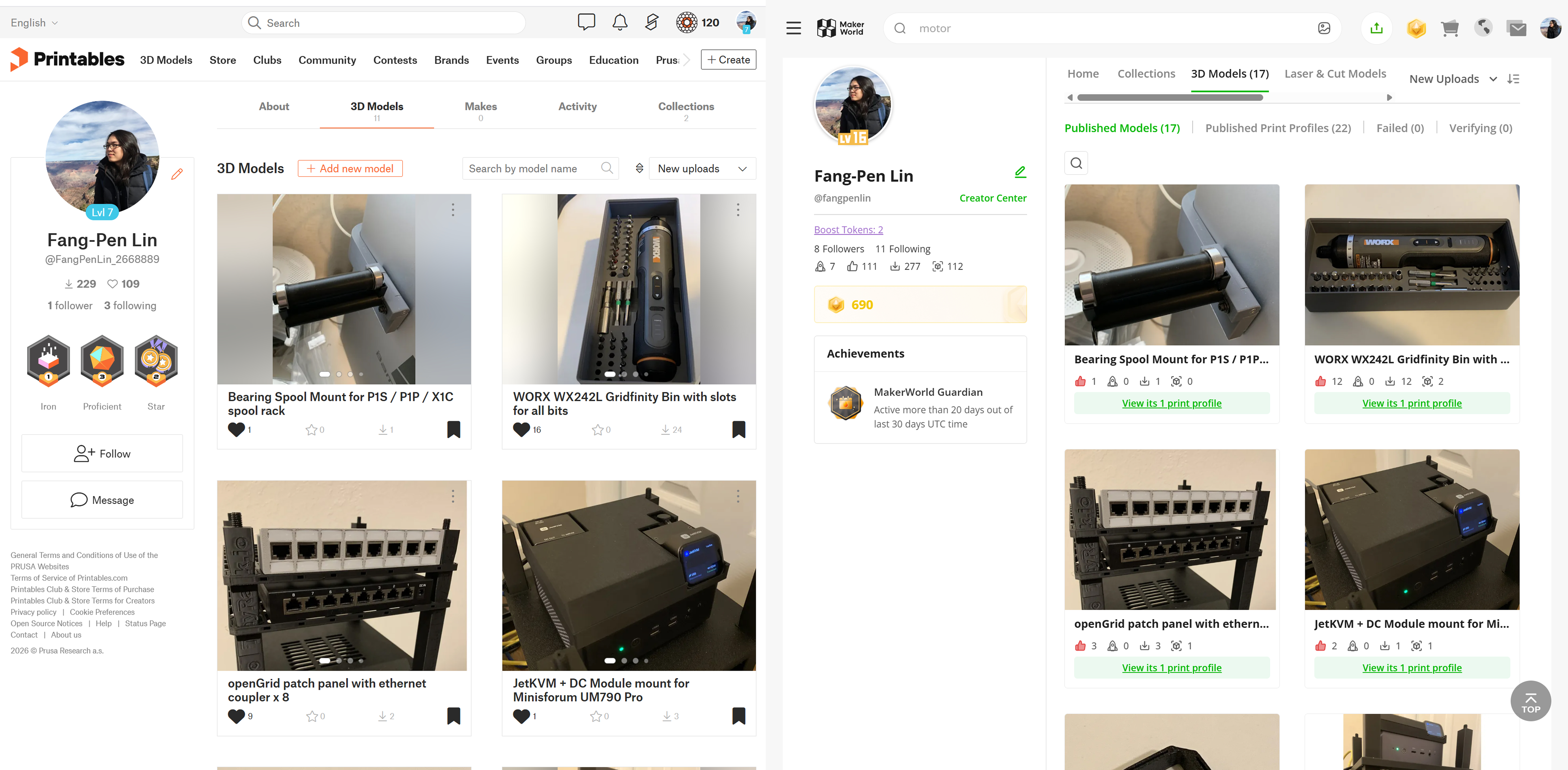
So far, I have really enjoyed the process of designing and printing the models. If there’s anything I’ve experienced that feels most like it came out of science fiction, it’s 3D printing technology. When you realize that the physical form of objects can be defined by digital bits, it opens up unbounded possibilities for what we can do with the technology.
The more I design and print, the more I realize that while the printing process takes time, it runs smoothly in the background. But for design, it’s a whole different story. More often than not, it takes a huge amount of effort and countless iterations to design even for a simple snap-fit part. I often get lost when working with different revisions of the same part with slight differences. As printing technology becomes more and more mature, the bottleneck is not the printing anymore, it’s the design instead.
As a software engineer, I get very comfortable with writing code to define the behavior of a system. Setting up the CI/CD pipeline to automate the build and deployment process is also a common practice. While I work on my 3D printing projects, none of those exist. Then I wondered, given that now bits can shape atoms, why not use the same approach to build software for the physical world?
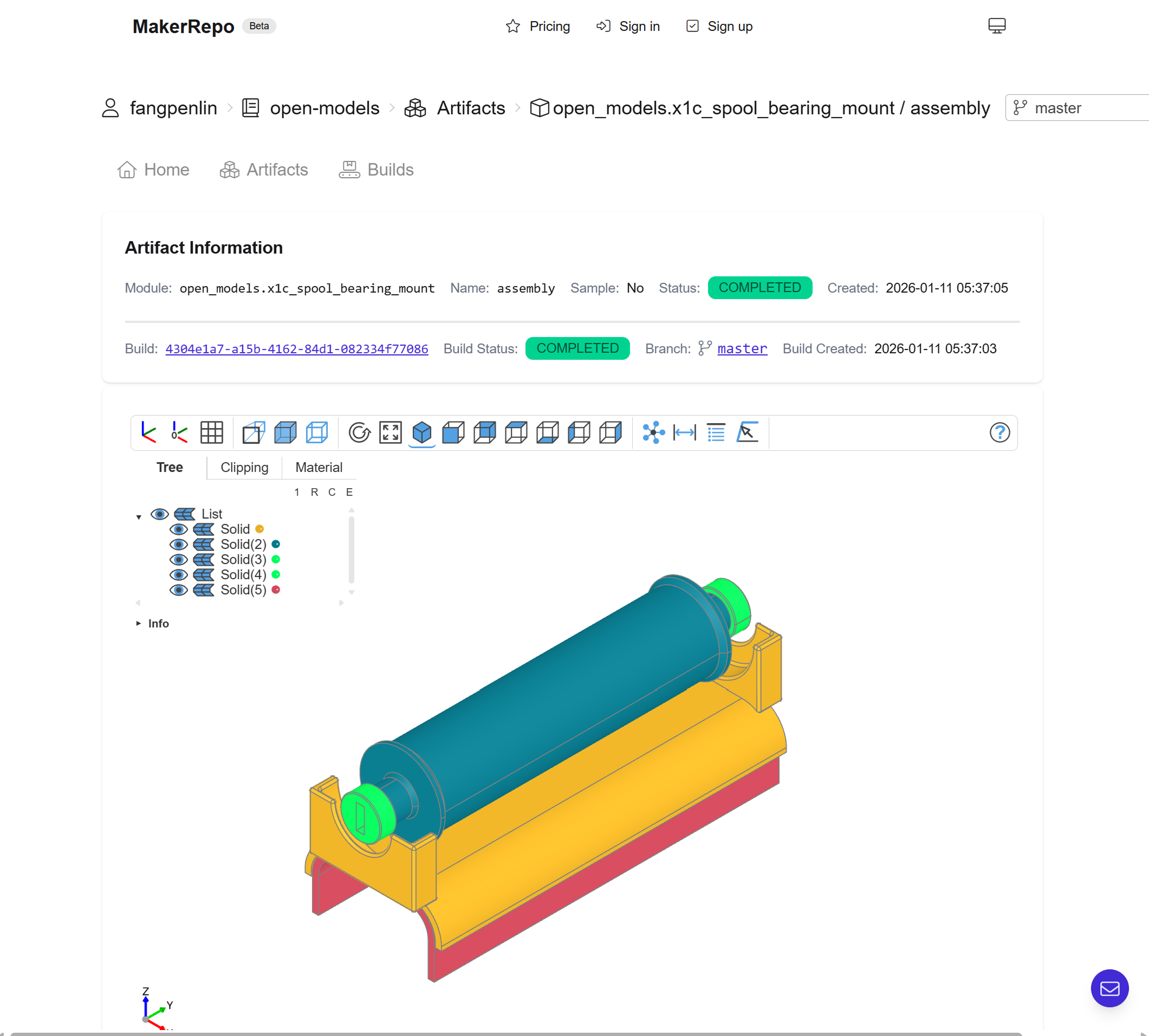
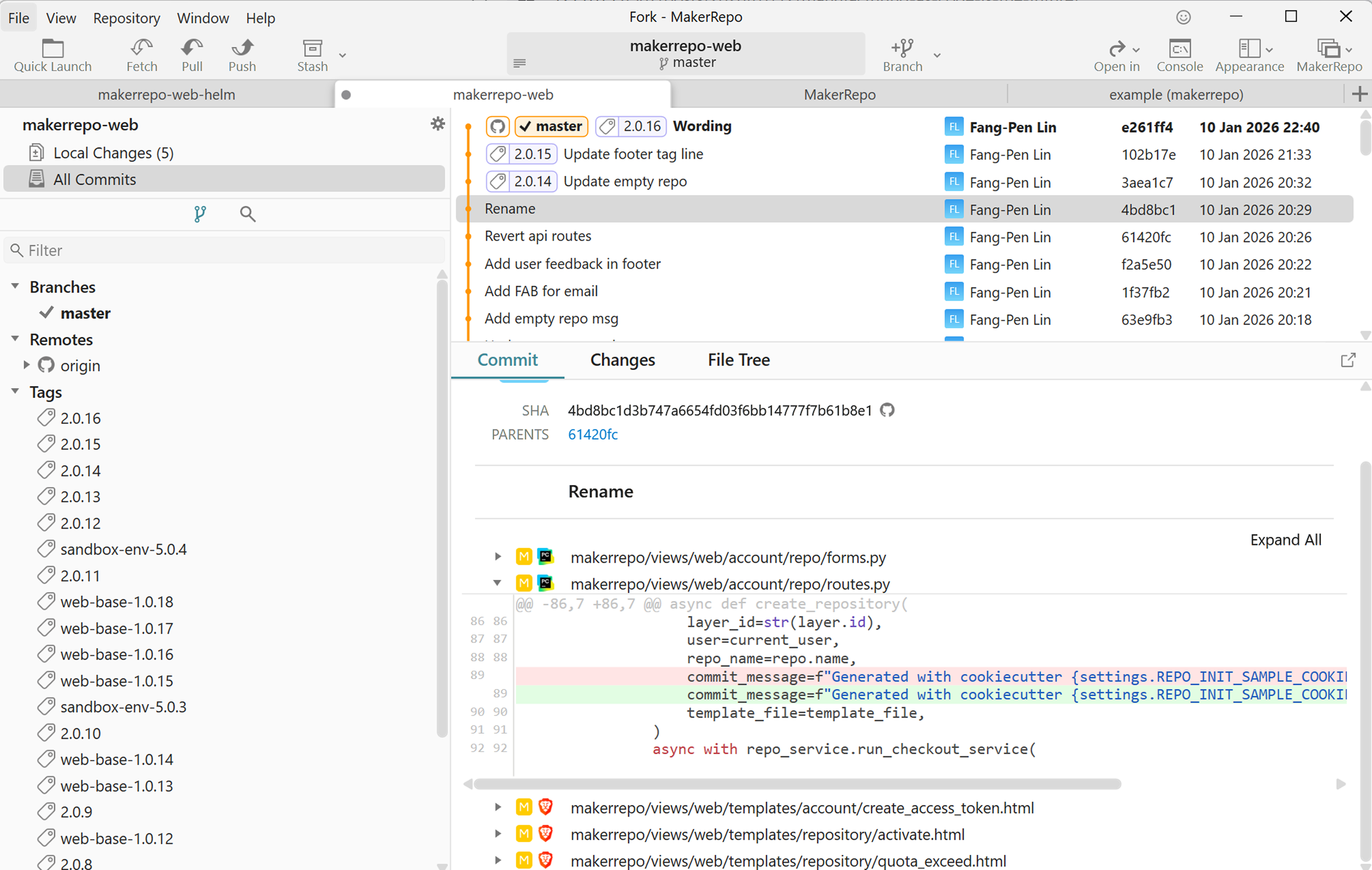
With that in mind, I spent the past few weeks building a prototype of a GitHub-like platform for manufacturing, called MakerRepo. Today I am very excited to announce that the project is now online and has entered the beta testing phase for the public. 😄🎉
The painful parts of traditional CAD design process
I have been using Fusion 360 since I started my journey with 3D printing. It’s a powerful CAD software that can handle complex models; it can even simulate how the part performs under different conditions. I probably only use about 5% of the features of the software, but it’s more than enough for my needs. I really enjoy using it, but it’s not the problem of the software itself—it’s the mindset upon which this software has been built. Before we dive into the future of manufacturing, let’s first understand the painful parts of the traditional CAD design process from a software engineer’s perspective.
Version control
The first painful part is version control. There are version control systems built into the CAD software, but they are not very user-friendly or they lack critical features. I am used to comparing two versions of code in the code editor to find out what the changes are between them. I am also used to having artifacts like executable files come with a version number, so I can easily find the version I am holding right now.
But with real-world objects printed from different revisions of the same design, it’s very hard to track what the changes are between them. It’s also hard for me to tell which one is which. More often than not, a minor change like snap-fit clearance difference could be very small, and you cannot even tell with the naked eye. When trying out the different revisions, I need to be very careful not to mix them up. Of course, I can add a version number to the model, but it’s not very convenient because I will have to manually change the version number for each revision. Eventually, I feel there’s a need for better version control for CAD models.
Collaboration
Another painful part is the collaboration. With traditional CAD software, it’s very hard to collaborate with others. Maybe not for the manufacturing industry, but for 3D printing open-source community, it’s very common to remix a design and share it with others. To collaborate with others, first of all, you need to have the same CAD software installed on your computer. Despite that CAD software like Fusion 360 provides collaboration features, if the other person doesn’t have the same CAD software installed on their computer, that collaboration feature is useless.
For example, when I was designing my under table cable management with Underware 2.0 and openGrid, I realized that one of the lock snap components has an issue. If you screw it in too tight, it will be very hard to screw it out. That’s why I decided to remix the author’s design to cut a slot on the thread of the component to make it easier to screw it out.
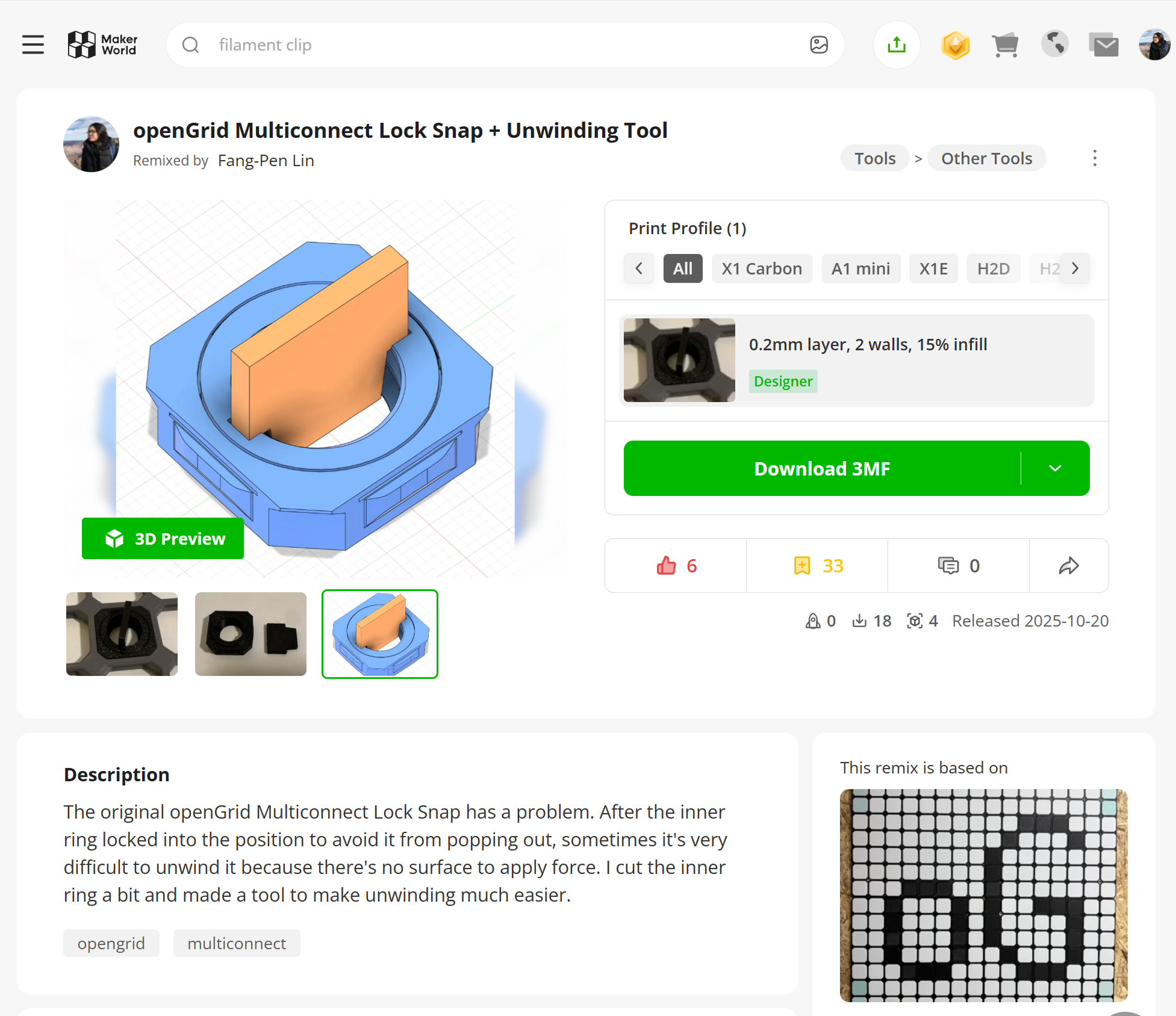
I then uploaded the remix to MakerWorld and shared the link with the author in the comments. Okay, cool, I shared an improvement to the design on the same platform, but what now? I felt this is not the right way to collaborate as we do in the software engineering world. Some people can find it, but unless the original author took my improvement, used the CAD software he preferred and updated the model himself, then reuploaded the model to MakerWorld, it’s not very helpful. This is particularly painful as we are used to making contributions to open source projects with code changes. When people contribute to open source projects, the author can review the change easily and hit the merge button to merge the change into the main branch. And there you go, you have a new model everybody can enjoy! In the end, I realized that “open-source” is not so open if there’s no easy way to collaborate with others.
Customizable parts
Another painful part is to create a part with multiple variants based on different parameters. With traditional parametric CAD software, surely you can define a part with parameters that reflect the changes of the part. I did exactly this with TinyRack to make it customizable. For example, with the same post, I can create variants with different notches at different positions.
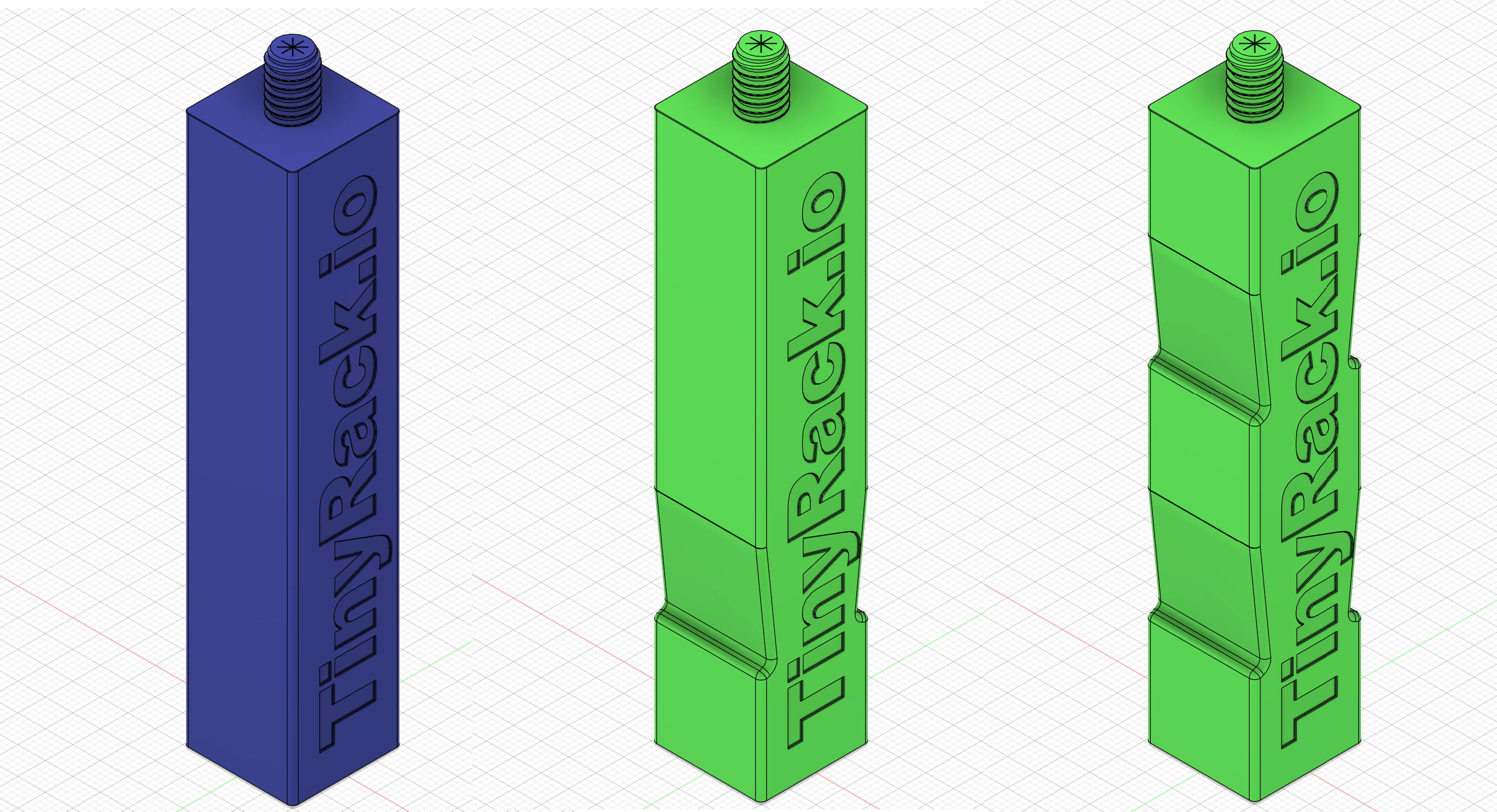
While this works for different permutations of the same part, I need to manually change the parameters for each variant in the CAD software, export the model and upload it to the platform. It’s not very efficient and not very scalable. For platforms like MakerWorld, they provide a way to create a generator from a CAD file that allows the user to create variants with different parameters.
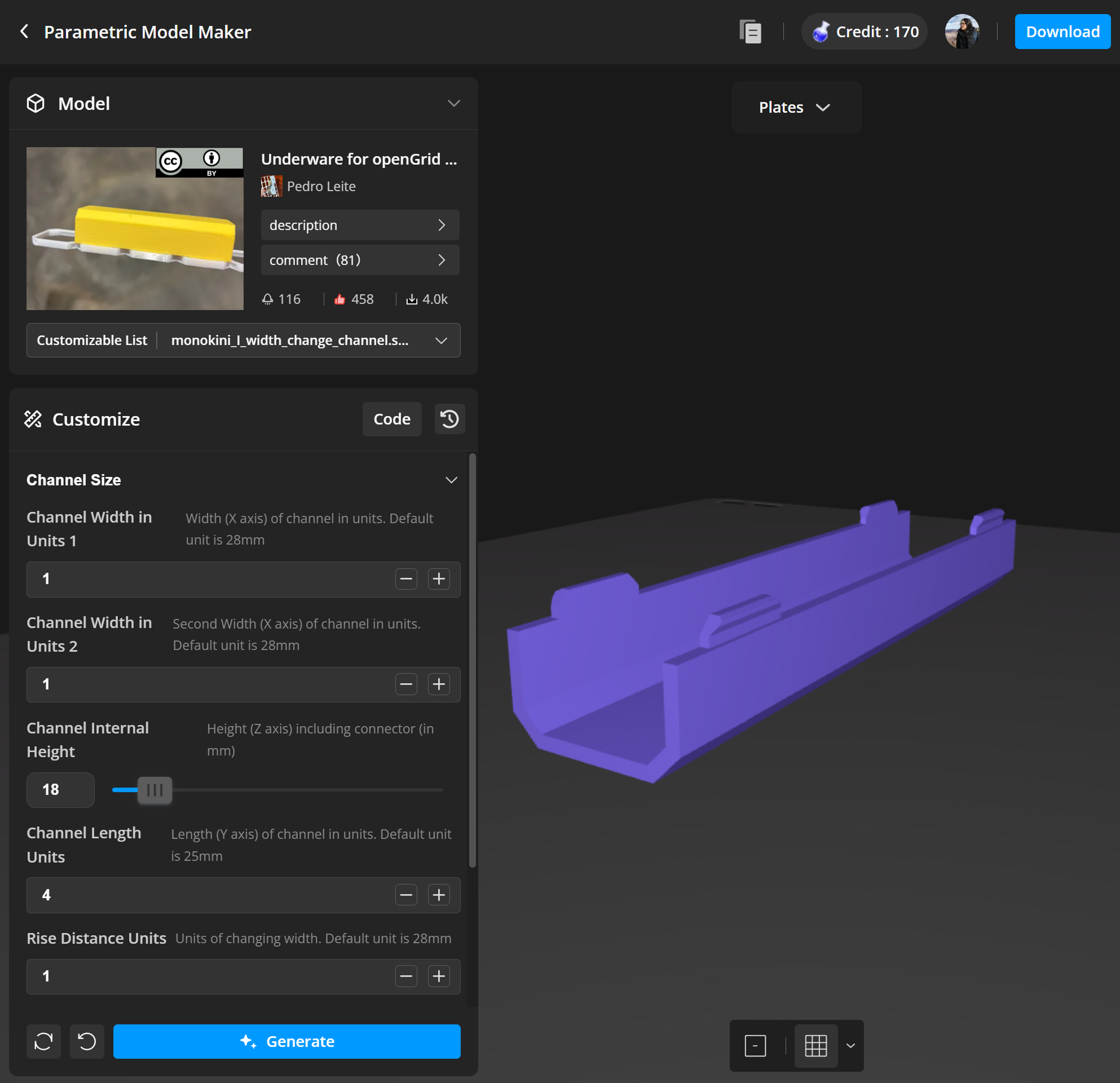
But that’s the proprietary software built by BambuLab. If I want to do the same locally, I need to build my own generator that can read and understand the CAD file and also needs to generate the STL or 3MF files for each variant, which is not easy.
Lack of automation
Other than the problems mentioned above, the final straw that breaks the camel’s back is the lack of automation. As you can see, I built and uploaded tons of models to both MakerWorld and Printables. Each time, I need to manually change the parameters for each variant, export the model and upload it to the platform. And this is not just one time task. If I make any revision to the design, I need to do it manually all over again with multiple platforms. As a software engineer, I am used to the idea of automation to solve this problem. For example, when I worked as an iOS engineer in the past, I built a CI/CD pipeline to automate the build and deployment process. That process even included taking screenshots of the app and uploading it to the App Store. The only thing I need to do is to push a new tag to the repository, and the CI/CD pipeline will take care of the rest. While traditional CAD software provides an easy-to-use UI, it doesn’t provide an easy-to-use API to automate the process. This is why I felt, you know what, I need to build my own platform to solve this problem.
The future of manufacturing - manufacturing as code
The traditional manufacturing industry is built upon the idea of mass production. But 3D printing changes the game. Now instead of a one size fits all product, you can design a product that is tailored to your needs.
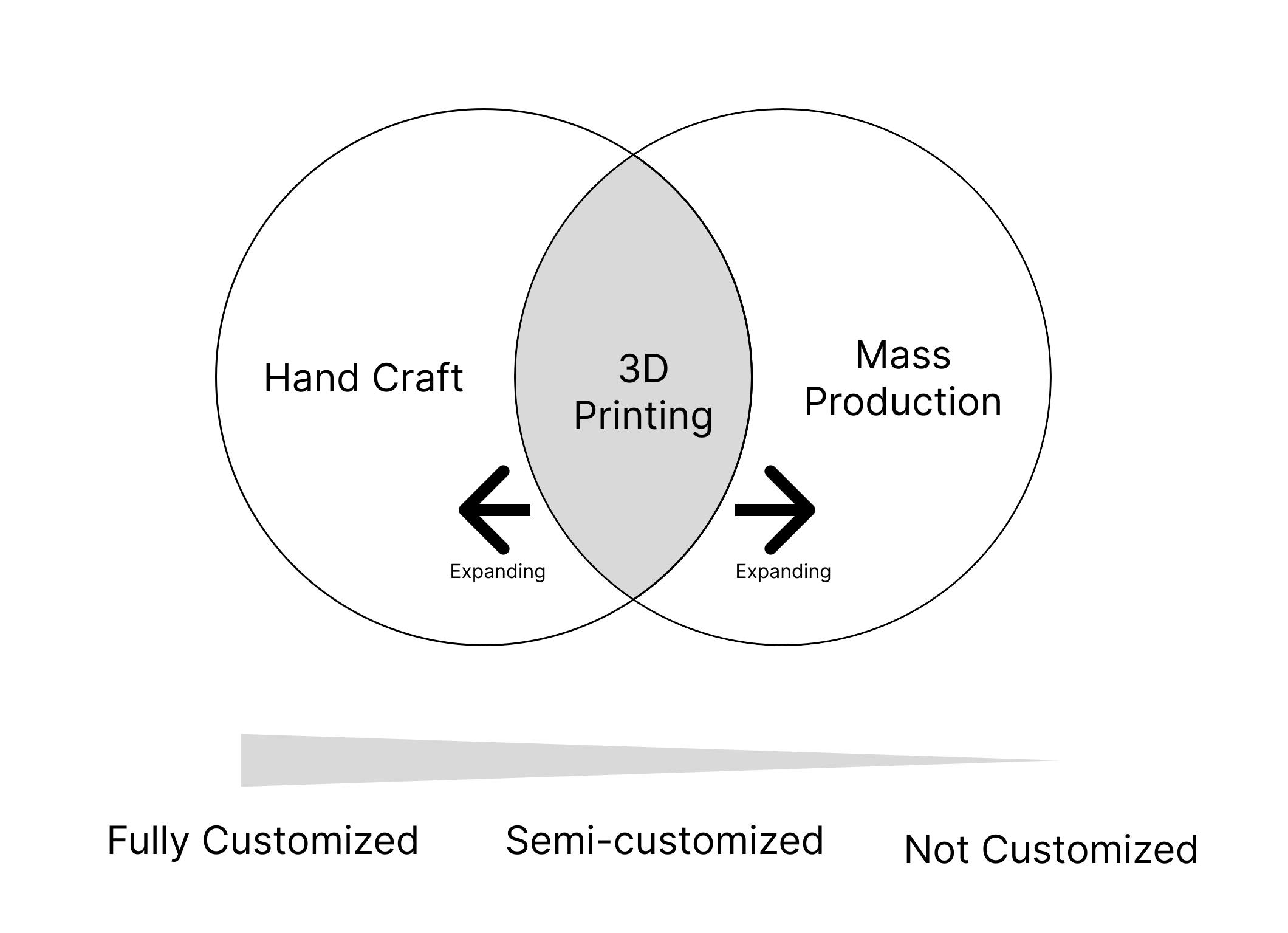
The customers used to be forced to tolerate the one-size-fits-all design that is not tailored to their needs. With 3D printing technology, there’s no difference in cost between a customized part and a mass production part. Now they can have the design that is tailored to their needs. If we use 3D printing only as a replacement for the mass production, we are not really taking the advantage of the technology. I believe this market segment is going to expand in the future as now customers have more options to fit their needs even better. Mass production and hand crafted products will still exist and stay strong, but semi-customized products will be a new segment in the market.
For example, with TinyRack, you may need a notch at different positions on the post based on the size of the machine you are going to put in it. With traditional mass production, you will probably design a post with as many notches as possible to fit all the possible needs. But then of course it makes the model looks ugly.
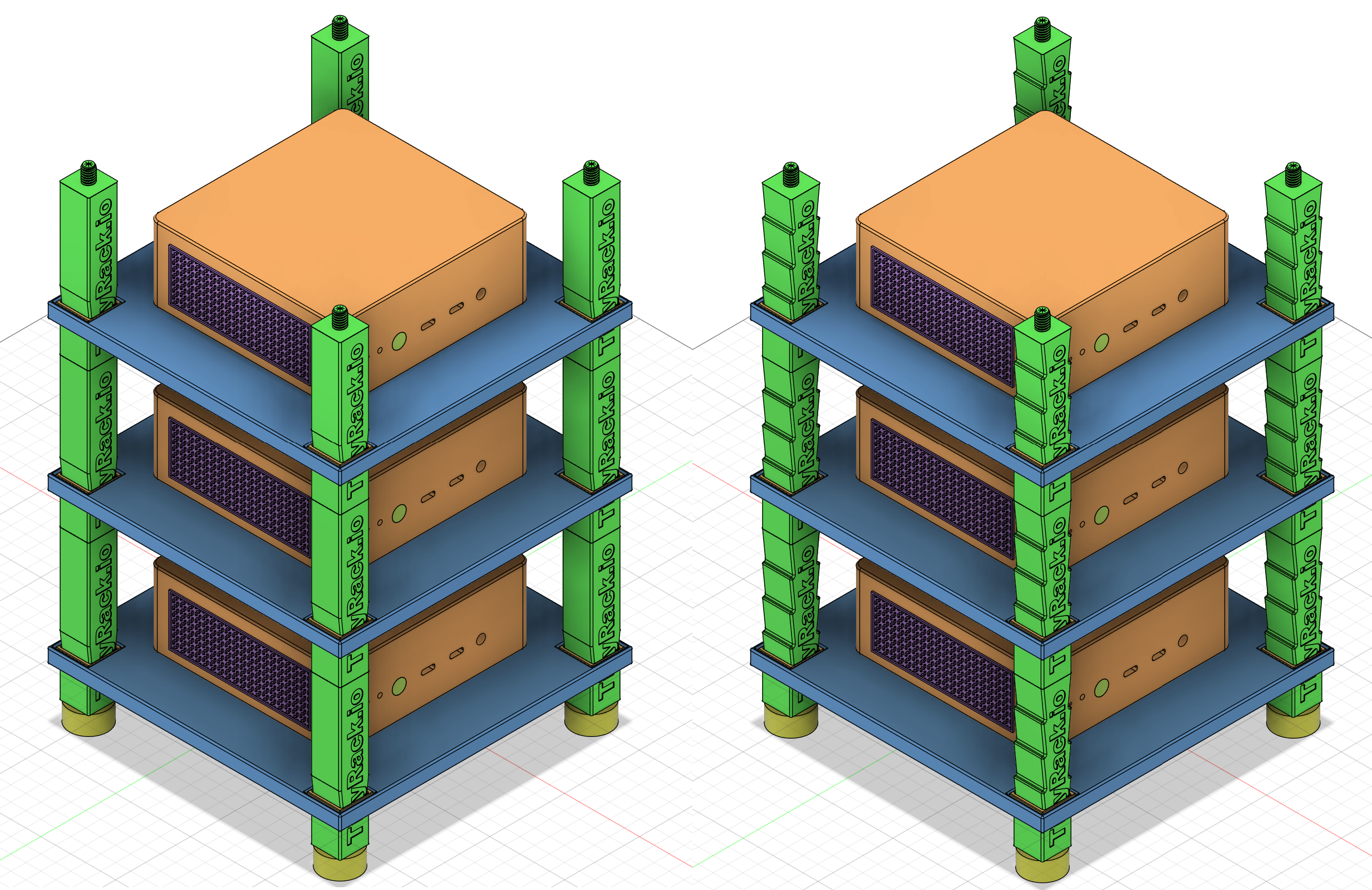
With the ability to at least semi-customize the design, we can now have parts that are tailored to our needs, not the other way around. This opens a new market for small-to-medium-size batch production with customized products. With the concept of semi-customized products, the bottleneck is not the manufacturing anymore, it’s the design instead. Making a design from scratch is a very time-consuming process. Therefore, starting from an existing design and changing the parameters to tailor towards your needs is a much faster way to get the job done.
How do you change the parameters of a design to tailor towards your needs of a part without starting from scratch? The answer is to use code to define the design of a part. In fact, with traditional CAD software, you can already define a CAD model with parameters, that’s why it’s called parametric CAD. However, because it’s not a programming language, it’s very hard to understand the relationship between the parameters and the model. It’s also very hard to track what’s the changes of the model between revisions. But with code, it’s nature that software developers have been using version control to track the changes of the code for decades. More than that, with code and modern LLMs, there’s also a potential opportunity to design a part with prompts, or even automatically make a design from scratch.
The knowledge of manufacturing could be lost
The process of manufacturing an object is knowledge-intensive. And over time, the knowledge might have been lost if not well documented. For example, NASA used to build the Saturn V rocket for the Apollo program. But after the program ended, the knowledge of building the rocket was lost.


And now, it’s very hard to build the very same rocket again. Of course with modern technologies today, we can build a better rocket like SpaceX did with Starship. But the lesson here is if we don’t document the manufacturing process, we will lose the knowledge eventually.
Thanks to CAD software, we can now define the manufacturing process in the digital world and can backup the design easily across the globe. But what if the CAD software is lost? While I love using Fusion 360, it’s a proprietary software. When I share a design online, if the other person doesn’t have Fusion 360, they cannot open the design. They provide free license for personal use, but for commercial use, they require a paid license. There are also other CAD software packages like SolidWorks, OnShape, and others. But eventually, if the software is not open-source, it will be lost one day with the company. We have Arctic Code Vault for backing up software code, but what good does it do if all the knowledge of manufacturing is lost? This is why I believe Manufacturing as Code is also very crucial to preserve the knowledge of manufacturing.
Build123D - build CAD models with Python code
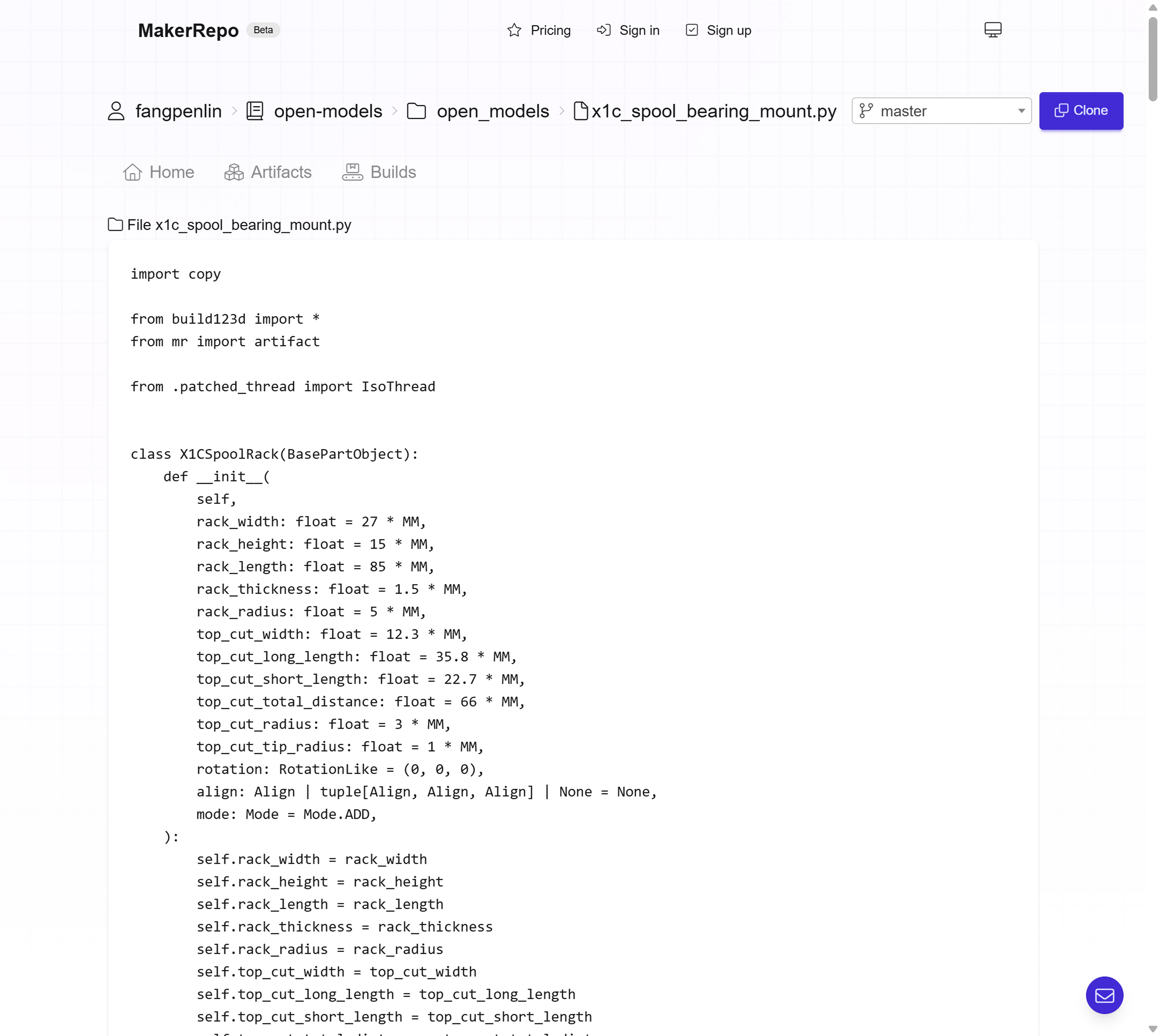
In the past, when I shared the first article about CADing and 3D printing like a software engineer, some readers mentioned the Build123D software. It’s a free and open-source CAD software that can be used to design 3D models in Python code. Here’s an example from the documentation where you build a tea cup with Build123D:
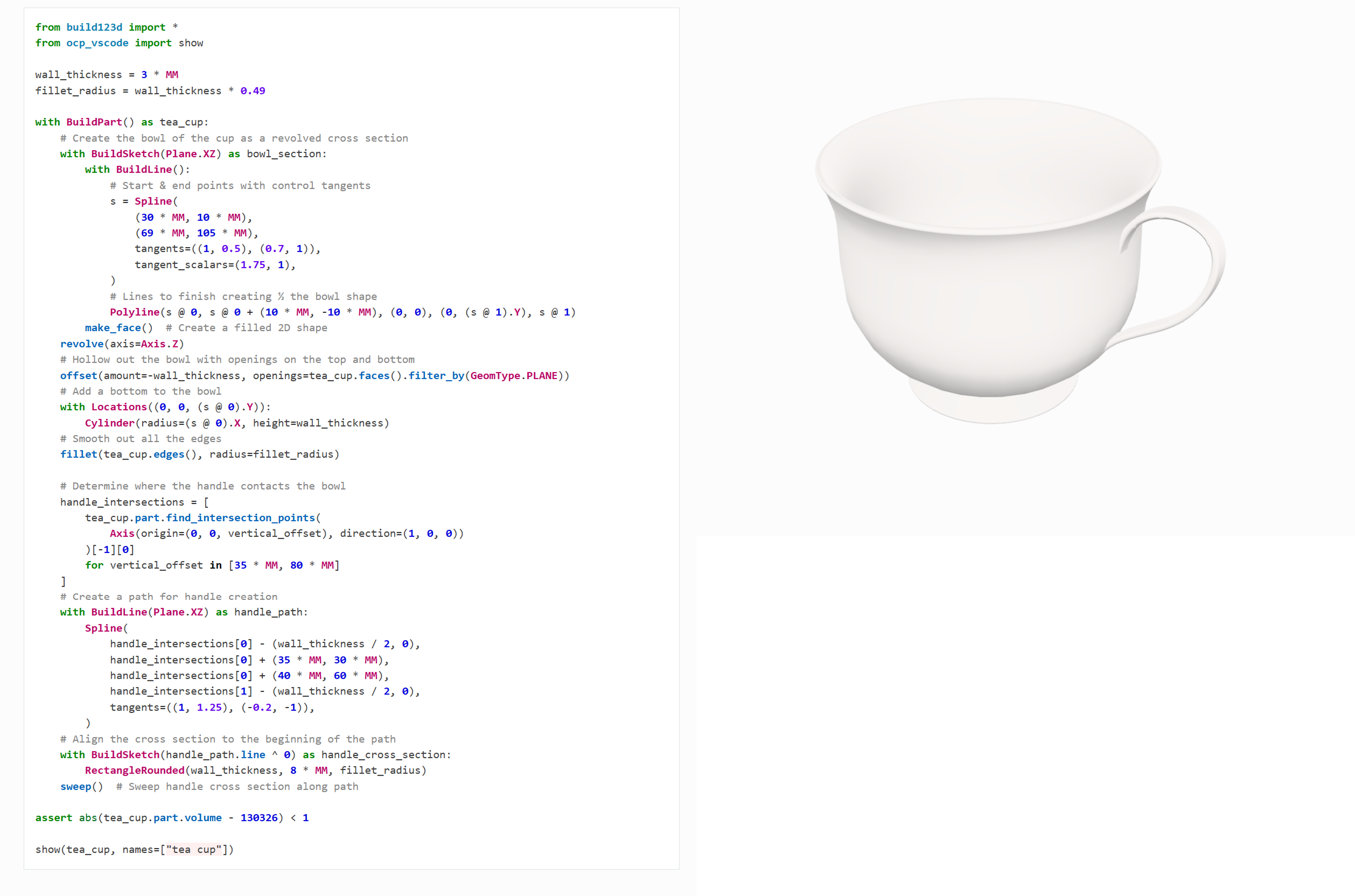
When I first saw it, I thought it was really cool. I have been thinking about using it, but didn’t have the time to try it out. Until recently, I finally finished the v1 design of TinyRack, and got the time to try it out. And I ended up really liking it. At the very beginning, I missed the friendly UI of the traditional CAD software where I can click and select the objects I want to work on. But after I got better and better in it, I feel the time I spent on building the same model is getting shorter and shorter. I feel at some point, I can even build the model faster than I can click and select the objects in the traditional CAD software in some cases.
MakerRepo - the platform for manufacturing as code
After I got myself more familiar with the Build123D, I started to envision the future of manufacturing with code. I concluded that the platform should be a GitHub-like website but for manufacturing. Building a platform like GitHub is definitely not easy, not to mention if you need to host large-scale repositories, dealing with the scalability and durability issues, more importantly, security issues (because you need to run user-uploaded code).
It may take me years to build a platform like GitHub, but fortunately, I have seen this movie before. If you read some of my previous articles, you will know that I have built a similar platform before. Yes, that is BeanHub, a Git repository hosting service for Beancount accounting books. If you are interested in the technology behind BeanHub, you can read my article How BeanHub works part 1, contains the danger of processing Beancount data with sandbox and How BeanHub works, part 2, a large-scale auditable Git repository system based on container layers. tl;dr, I used container sandboxing + overlayfs to build a large-scale auditable Git repository system. MakerRepo is built upon the same technology, but for manufacturing as code instead of accounting books.
When I built BeanHub, I pushed really hard to open-source as much as possible. You can see the list of our open-source projects here. Because I believe if one day BeanHub is not in business anymore, people should still be able to use the open-source projects to continue their existing workflow. Ideally, you should be able to do anything locally with the open-source tools on your own computer just like what’s provided by the platform. MakerRepo just makes it much easier to host your code and artifacts online and share them with others, and also provides a platform for you to collaborate with others. This is why I open sourced MakerRepo. It’s a library and CLI tool written in Python to help you build your model with manufacturing as code. I don’t want to change too much how people write their Build123D code, therefore, I made it very easy to integrate your existing Build123D code with MakerRepo. One major feature provided by MakerRepo is the ability to collect the artifacts of your model and view them in a web interface via the OCP viewer.
To do so, you only need to install the MakerRepo library and add an “artifact” decorator to a function that makes the model.
To install it, you can run:
pip install makerrepo
Then in your code for generating the model, you can add an “artifact” decorator to the function that makes the model.
from build123d import *
from mr import artifact

@artifact
def make_model():
    with Build() as build:
        Box(10, 10, 10)
    return build
And that’s it! After you commit the code and push it to your Git repository on MakerRepo, it will automatically run a CI job to build the model and collect the artifacts. Then you can view your beautiful artifacts in the web interface via the embedded OCP viewer.
What’s next?
This is just the beginning.
The MakerRepo is still in the early stages of development.
For now, the CI build environment is still very limited, and you can only build the model with Build123D but no other libraries.
Soon I will add new features like custom CI pipeline, custom build environment.
You can imagine the possibilities are endless. For example, you can have a develop branch that builds artifacts with version information onto the model, so that it’s much easier to track which version is which in the real world.
With the CI/CD concept, maybe you can event have a branch like production, and it automatically prints the model into a physical object.
I will also add fork and pull request features to make collaboration with others much easier. In the near future, you will be able to fork a repository you like, make changes to it, and then submit a pull request to the original repository. And the author will be able to review the changes, see a visualized diff of the changes, provide feedback on the model and code, then decide to merge the changes or not easily.
Currently, there’s no paid plan yet, but I will add one in the near future. I aim to follow a pricing model that’s similar to GitHub. For open source projects, you should enjoy most of the features for free. With a paid plan, you can host private repositories and enjoy more features and maybe more CI build time quota. For those who are not familiar with the pricing approach I take, here’s what I usually do. The price will start lower, then after new features are added, the price will be raised. The early users can enjoy the lower price with more new features added later on. Stay tuned for the pricing model announcement.
Finally, while this is just yet another software product I built, it means something else to me. There were people laughing at the idea of bringing back manufacturing jobs to the US. As Tim Cook said, the problem is not just the cost, but also the talent and knowledge of the workers who know how to manufacture. Unfortunately, the knowledge of manufacturing is dying with the older generation of workers, not just in the US, but also in the rest of the world. I tried to think about how I could help from the perspective of a software engineer, and this is what I came up with. The COVID supply chain issues taught us a lesson that we need to be more independent and not rely on the supply chain of other countries. To bring manufacturing jobs back to the US, we should not think about replicating the workflow of the manufacturing industry, but instead, we should think about copying the software industry. We need to think smart and make the design process more efficient and accessible. I hope MakerRepo can be a small step towards that goal. Please feel free to try it out and let me know if you have any feedback or suggestions. 😄👍