Not sure about you, but I find prototyping with 3D-printed parts painful. When I iterate quickly over many revisions, I end up with a pile of parts that look very similar but differ in small ways. To test a snap fit, I might adjust a parameter many times to find the right value, and once they’re mixed together, it’s hard to tell which is which. Right now I’m looking at the panel prototypes I printed for the TinyRack.io mini server rack in the corner of my room, and I can’t tell which revision is which.
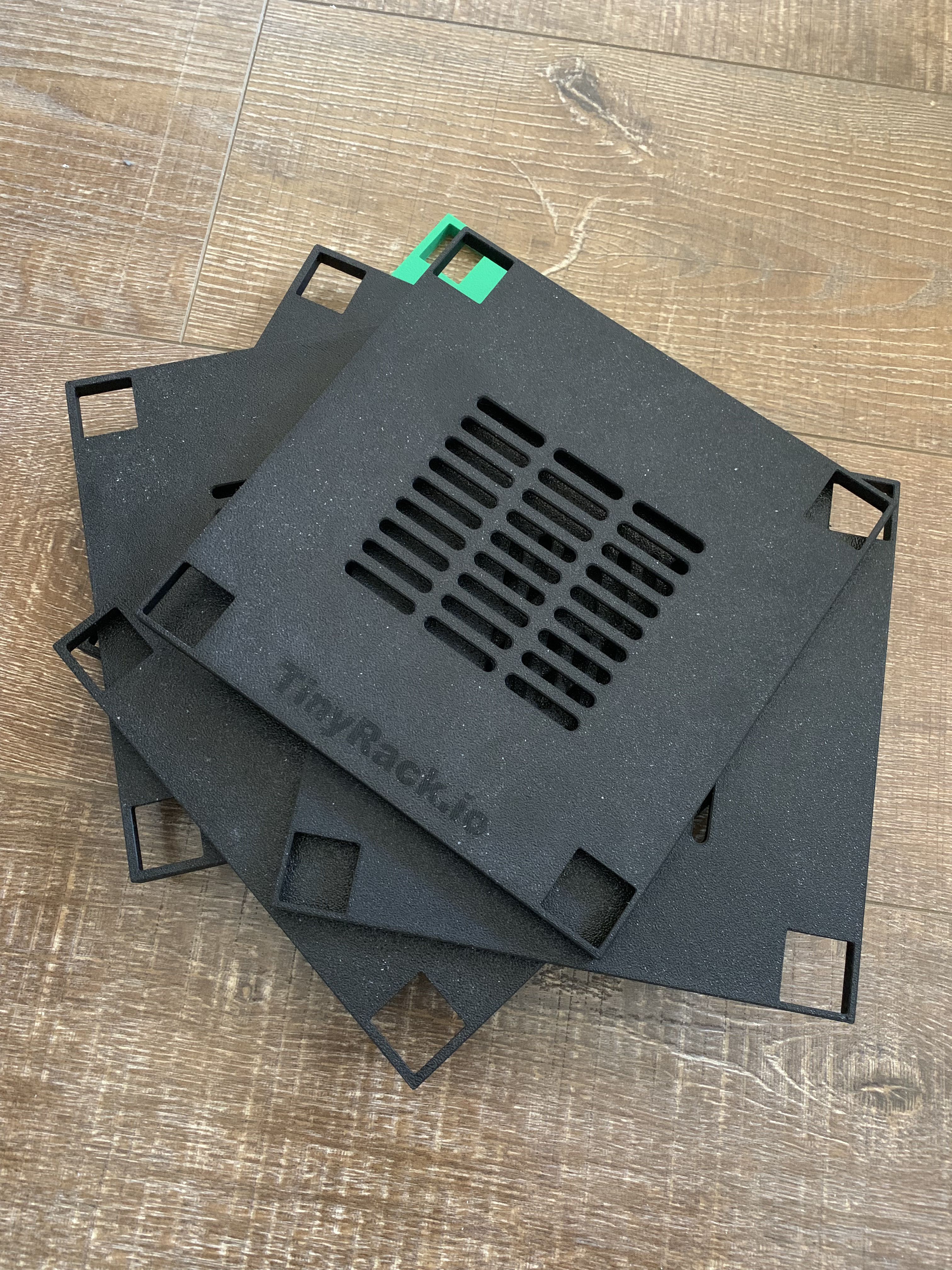
As a software engineer, this has never been an issue. When I change code and test the build, I can always see the version or build number on the executable or library. So I wondered: why not build hardware the same way? That’s the core idea behind manufacturing as code.
Today we’re excited to announce versioned model: tracking your prototypes and linking them to the digital design is now easier than ever on MakerRepo. Here’s a short intro:
How it works
For ordinary CAD artifacts to be viewed or exported by MakerRepo.com CI or makerrepo-cli, you only need to return the model from your artifact function:
from mr import artifact

@artifact(short_desc="Main enclosure")
def enclosure():
    with Build() as build:
        Box(100, 80, 50)
    return build
The versioned model feature lets you return a variant of the model with a version mark embossed on it.
Use the new BuildEnv and Result classes from the mr library:
from build123d import *
from mr import artifact
from mr import BuildEnv
from mr import Result


@artifact(
    short_desc=(
        "Clip that clamps onto a post's notch; "
        "the mount snaps onto the clip to support the panel"
    ),
)
def clip():
    # Build the base model normally
    model = Clip()  # your Build123d object

    # get the build environment
    build_env = BuildEnv.from_local_git_repo()
    # Detect whether versioned models are enabled for this build
    if not build_env.versioned_model_enabled:
        # In case the user has disabled versioned models,
        # we can return the model directly
        return model

    with BuildPart() as versioned:
        add(model)
        # this function provides a default sensible version value for the build,
        # by reading from the local git repository or provided by the CI
        version_mark = build_env.get_build_version()

        # Choose a suitable face (e.g. a side face) and emboss the version text
        with BuildSketch(
            versioned.faces()
            .filter_by(lambda f: abs(f.normal_at().Y) > 0.98)
            .sort_by(Axis.Y)[-1],
        ):
            Text(
                version_mark,
                font_size=7 * MM,
                rotation=-90,
            )

        extrude(amount=-0.1 * MM, mode=Mode.SUBTRACT)

    # Return both the clean model and the versioned variant
    return Result(
        model=model,
        versioned=versioned,
    )
After you push your code to MakerRepo.com, CI keeps the versioned model and you can inspect it in the web UI.
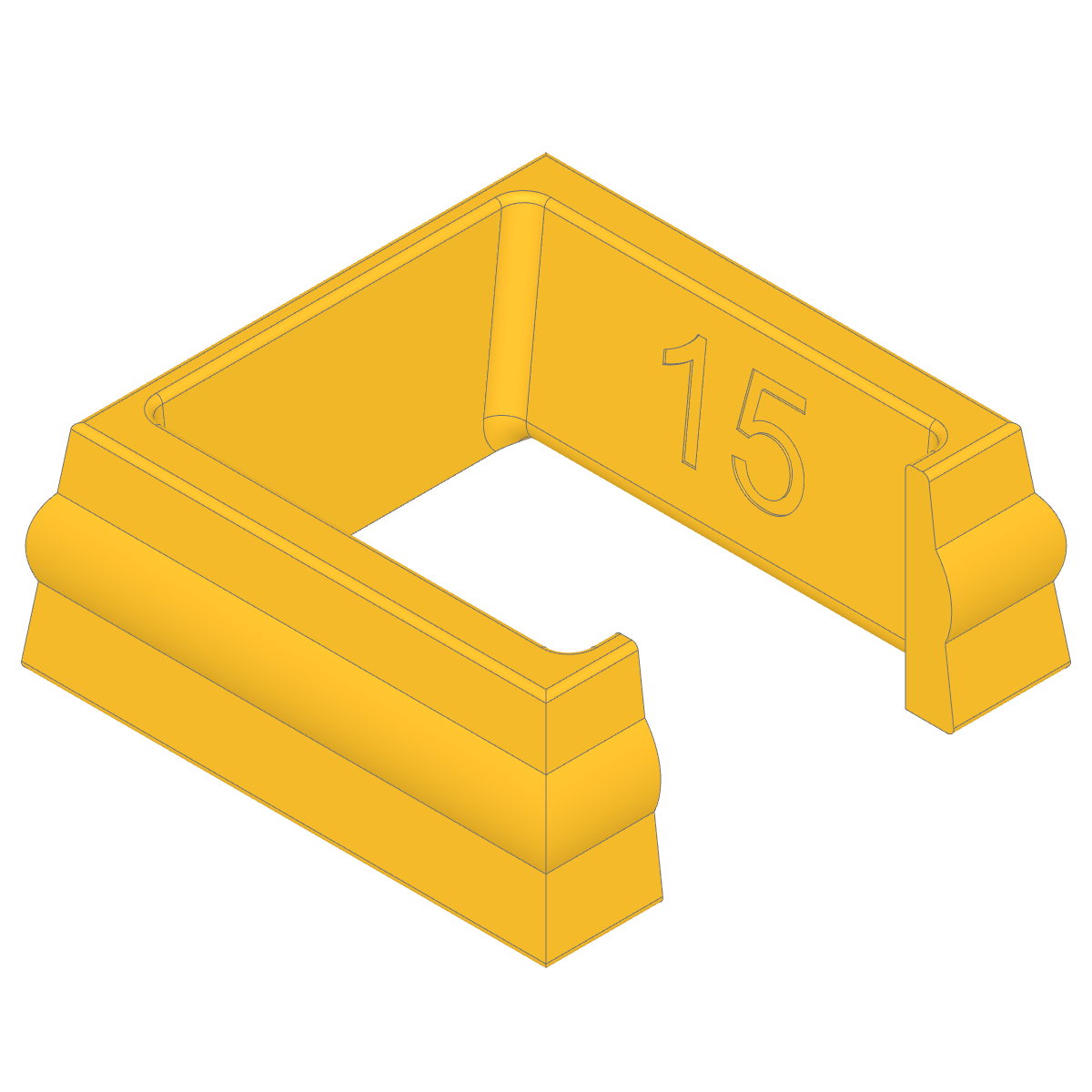
We expose the versioned build as a variant on purpose. During development you want the version mark on the part; once you ship to end users, you may not want it on the final product. We’re also adding the ability to compare the same model across Git commits, and for that comparison you want the clean model without the embossed version text, so the diff reflects real design changes, not version strings.
Learn more
- BuildEnv - build environment and
get_build_version() - Result - returning both the clean model and the versioned variant
Try versioned model on your next prototype run and let us know what you think. Feedback and suggestions are welcome at support@makerrepo.com.